Appearance
Chrome Webstore Upload
This documentation is forked from How to generate Google API keys.
How to generate Google API keys
chrome-webstore-upload uses the Chrome Web Store API.
Here's how to get its 2 access keys: client_id, and refresh_token.
Download existing credentials
Make sure you are using the Chrome browser for these steps (some instructions rely on the Chrome developer tools)
Log in to the
[email protected]google account (credentials in 1password)Visit https://console.developers.google.com/apis/credentials
Select the "Chrome application dev - admin" project:
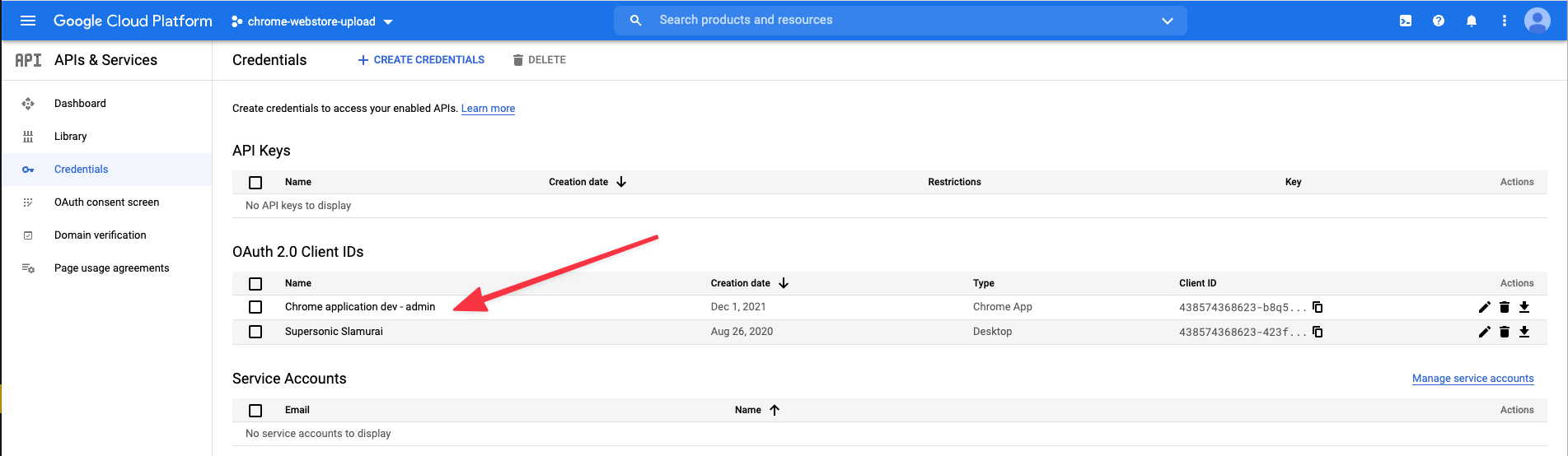
Copy the "Client ID" you will need this in the next step.

Create New App
Using your
client_idfrom before open the following URL replacingYOUR_CLIENT_ID_HERE:https://accounts.google.com/o/oauth2/auth?response_type=code&scope=https%3A%2F%2Fwww.googleapis.com%2Fauth%2Fchromewebstore&redirect_uri=urn%3Aietf%3Awg%3Aoauth%3A2.0%3Aoob&access_type=offline&approval_prompt=force&client_id=YOUR_CLIENT_ID_HEREFollow its steps and allow any required permission (this is effectively a temporary app so there is no danger)
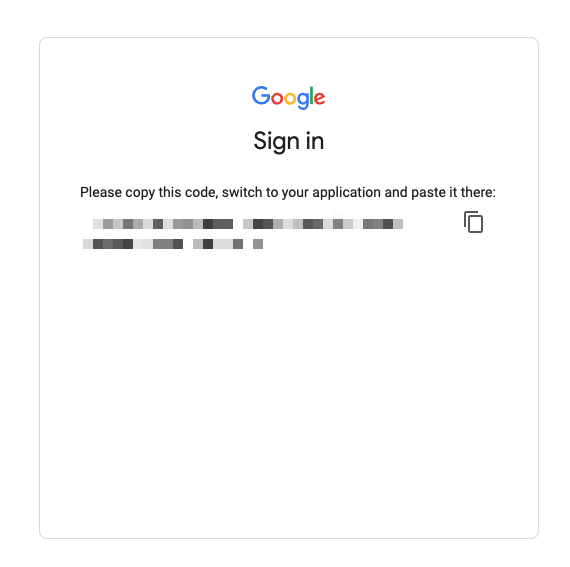
When you get to the below page open your developer tools:
Generate Refresh Token
Once in the developer tools press
Command+Shift+Pon Mac, orControl+Shift+Pon Windows.Type
snippetand select "Create new snippet"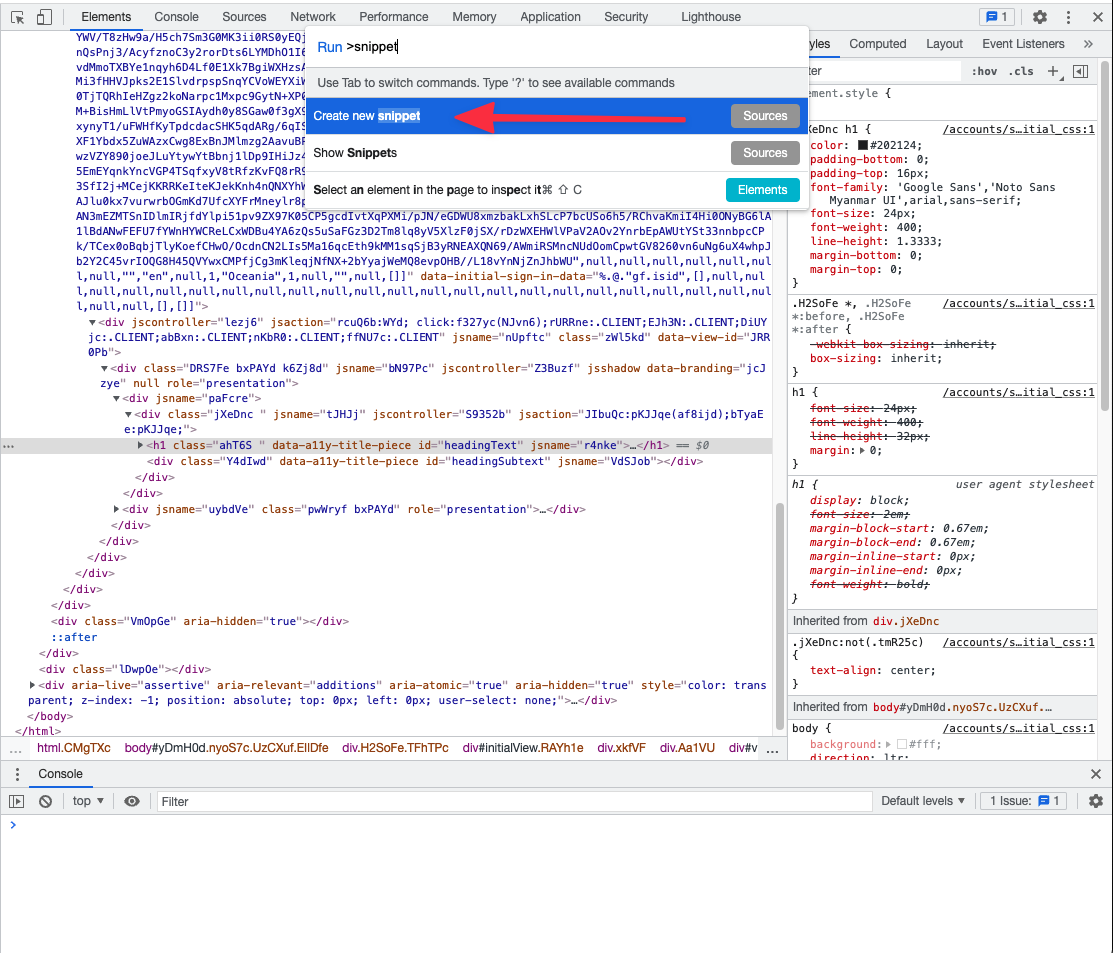
Paste the following code, replacing
YOUR_CLIENT_ID_HEREwith yourclient_id.
js
(async () => {
  const response = await fetch('https://accounts.google.com/o/oauth2/token', {
    method: 'POST',
    body: new URLSearchParams([
      ['client_id', 'YOUR_CLIENT_ID_HERE'],
      ['code', new URLSearchParams(location.search).get('approvalCode')],
      ['grant_type', 'authorization_code'],
      ['redirect_uri', 'urn:ietf:wg:oauth:2.0:oob'],
    ]),
    headers: {
      'Content-Type': 'application/x-www-form-urlencoded',
    },
  });
  const json = await response.json();
  console.log(json);
  if (!json.error) {
    if (typeof copy === 'function') {
      copy(json.refresh_token);
      alert('The refresh_token has been copied into your clipboard. You’re done!');
    } else {
      console.log('Copy your token:', json.refresh_token);
      alert('Copy your refresh_token from the console output. You’re done!');
    }
  }
})();- Press
Commad+Enteron Mac, orControl+Enteron Windows - Copy your
refresh_tokenfrom the console - Your done! You can use the
client_idandrefresh_tokenwith chrome-webstore-upload-cli or whatever else you need. Please do not share these keys.
Gotcha's
It would probably make more sense for the chrome applications to be owned by [email protected] however this requires more liberal permissions which will require approval before being allowed.